
Themes: Widgets & Icon Changer
Maxlabs Personalization ToolsPersonalization
4.7747.00 Reviews
- Version
- 1.9.0
- Installs
- 5.00M
- Age Rating
- Everyone
Screenshots
Our Review of Themes: Widgets & Icon Changer
 Analysis by Appyee
The first few days with a new home-screen look are usually the most exciting: familiar apps suddenly feel different, and even checking the time can be a little more enjoyable. I found Themes: Widgets & Icon Changer most appealing when I treated it as a set of pieces to arrange rather than a one-tap makeover. That approach makes it easier to build a screen around how I actually use my phone, not just how a theme looks in a preview.
This is a free personalization app from Maxlabs Personalization Tools, with optional in-app purchases ranging from $0.99 to $39.99 per item. It’s rated for Everyone, and it has a 4.7 average from around 50,000 ratings, with over 5 million installs. Those figures suggest it has found a sizable audience, but the more useful question is whether its collection and customization tools stay worthwhile once the initial novelty wears off.
A quick makeover that can still feel like yours
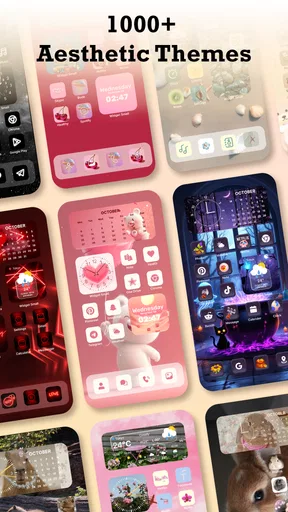
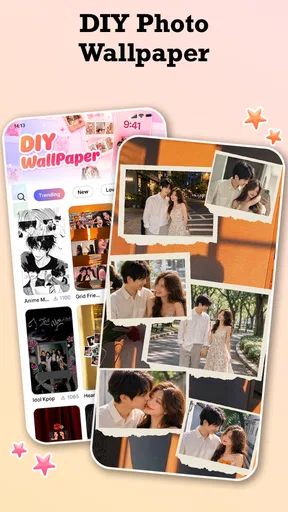
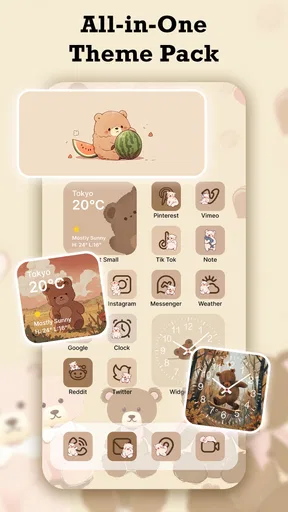
The app’s appeal is the choice to change the overall mood of a home screen without having to settle for one rigid design. Its collection includes themes, widgets, icons, and wallpapers, so I’d start by picking one visual direction—soft colors, a restrained look, or something louder—then adjust the individual pieces to suit my habits. That usually looks more coherent than combining several styles just because each one caught my eye.
There’s a practical benefit to making small changes first. I might try a new wallpaper and a clock widget before changing every icon. If that already makes the screen easier to scan, there’s no need to rebuild everything. Conversely, anyone who wants a full visual reset can use the broader selection to make the home screen feel noticeably different from its default appearance.
What makes the options useful day to day
A home screen is both a display and a tool, so I judge widgets by whether they help me see something at a glance. A clock or calendar can earn its place by reducing little checks and taps; a decorative widget has to look good enough to justify the space it occupies. The app’s range gives room for both approaches, but I’d keep the first screen focused on the information I reach for most often.
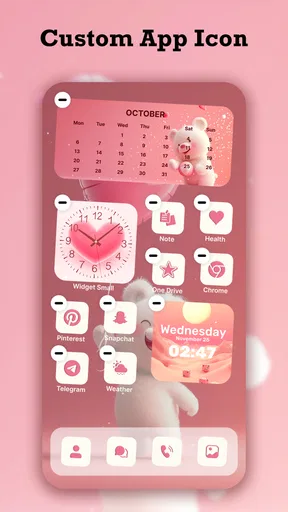
One useful way to personalize without making the phone harder to use is to keep recognizable shapes or colors for the apps I open automatically. The option to customize individual icons makes that kind of selective treatment possible: I can make a few frequently used apps stand out while leaving the rest visually quiet. It’s a better fit for everyday use than changing every icon simply to make the screen uniform.
Keeping the look fresh without turning it into a chore
Having plenty of choices can encourage frequent changes, but I wouldn’t treat constant redesign as the point. I’d save a look that works, use it for a while, and only revisit it when a layout feels cluttered or a season, routine, or wallpaper gives me a reason. That keeps the app useful as a personalization tool rather than another source of decisions.
The app is best suited to people who enjoy visual control and don’t mind spending a little time arranging a screen. If I only want a plain wallpaper and never use widgets, the extra selection may not add much to my routine. Someone who depends on a highly specific launcher setup may also prefer tools built around that launcher’s controls, rather than relying on a broad theme collection.
Customize Your Heart Out
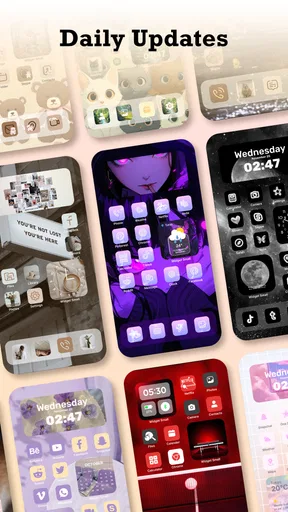
First things first, Themes: Widgets & Icon Changer is all about giving you the power to customize every nook and cranny of your phone’s interface. The app is jam-packed with a plethora of themes, from minimalist vibes to funky, colorful explosions. Trust me, whatever your style, there’s something here for you.
The setup process? A breeze. The app walks you through everything step-by-step, so even if you’re not exactly tech-savvy, you’ll be a pro in no time. I was particularly impressed with how intuitive the interface is. You can easily drag and drop widgets, change icon packs, and adjust themes with just a few taps.
Widgets Galore
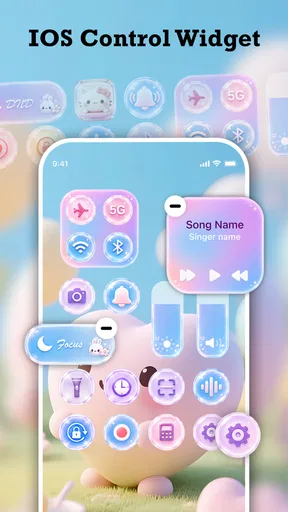
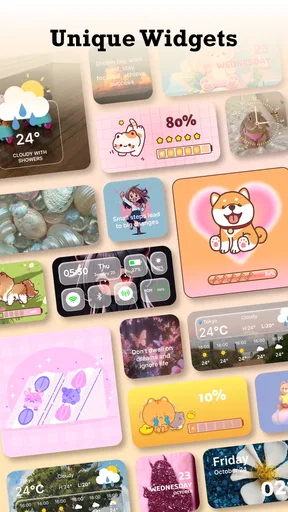
Widgets are where this app really shines. You’ve got clocks, calendars, weather widgets, and even motivational quotes. I personally fell in love with a sleek, transparent clock widget that made my home screen look like a techy masterpiece. And if you’re someone who likes to switch things up often, the app makes it super easy to swap out widgets whenever you like.
Another cool feature is the ability to create your own widgets. You can mix and match elements, change colors, and even add photos. It’s like having a mini design studio right in your pocket.
For a realistic everyday setup, I’d put the calendar or clock where I naturally look when unlocking my phone, then reserve a lower spot for a widget I only glance at when I have time. If a photo-based design is part of the plan, choosing an image with open space around the subject can help the widget remain readable instead of turning into a busy patch of color. I’d also try the layout for a few days before adding more elements; what looks balanced while editing can feel crowded once notifications and app icons compete for attention.
Icon Packs for Every Taste
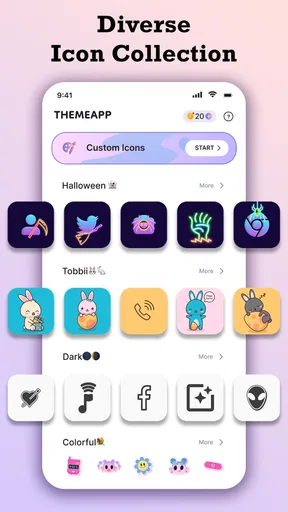
Now, onto the icons. This app comes with a bonanza of icon packs to suit just about any taste. Whether you’re into sleek and modern designs or quirky and fun ones, you’re spoiled for choice. I decided to go with a vintage pack that gave my icons a retro vibe, and honestly, it was love at first sight.
Swapping icons is straightforward, and the app even allows you to customize individual icons. So if you want your messages app to be a bright pop of color while keeping the rest more muted, you can totally do that.
That selective approach matters when visual consistency meets muscle memory. If I change the appearance of an app I open dozens of times a day, I want its new icon to remain easy to identify at a glance. I’d begin with less-used apps or a single group, then change the high-priority icons only after I know the pack’s shapes and colors are clear on my screen. It’s a small way to avoid a polished layout that slows down ordinary tasks.
Performance and Usability
One thing that can often trip up these customization apps is performance, but I’m happy to report that Themes: Widgets & Icon Changer runs smoothly. No lagging, no crashing—just seamless transitions and quick load times. It’s refreshing to find an app that doesn’t bog down your phone with unnecessary clunkiness.
Battery life is always a concern with apps that offer so much visual flair, but in my experience, it didn’t have a noticeable impact. So you can keep your phone looking snazzy without worrying about it dying halfway through the day.
There is still a difference between browsing designs and maintaining a finished screen. A layout can need attention when I replace a wallpaper, rearrange apps, or decide a widget is no longer useful. I’d keep a note of the few pieces that make the setup work—such as the icon style and the widget placement—so a later refresh doesn’t turn into starting from scratch. If I’m happy with the result, leaving it alone is a perfectly good use of a customization app.
Compared with changing only the wallpaper through the phone’s built-in settings, this app offers a broader visual toolkit: icons and widgets can change the feel and function of the screen as well as its background. A launcher can be a better choice for someone who wants deeper control over navigation or app-drawer behavior; this app makes more sense when the main goal is a refreshed appearance with widgets and icons in the mix. I’d also avoid assuming that every theme needs to be applied as a complete set. Mixing a favorite wallpaper with a few coordinated elements can be more practical than accepting a design wholesale.
Final Thoughts
After spending some quality time with Themes: Widgets & Icon Changer, I can confidently say it’s a game-changer for anyone who loves to personalize their phone. It’s user-friendly, offers a ton of customization options, and performs like a champ. Whether you want to go for a complete overhaul or just tweak a few elements, this app has got you covered.
Its lasting value depends on whether personalization is something I enjoy returning to, not simply a first-week project. The app is currently at version 1.7.1 and supports Android 7.0 and up, which gives a clear starting point for checking device compatibility before installing. It is free to download, while optional purchases can cost from $0.99 to $39.99 per item, so I’d explore the free experience first and only spend if a particular design or tool genuinely suits my routine.
The collection’s scale is appealing, but it can also create decision fatigue: browsing every option is not the same as improving a home screen. I’d choose a few candidates, compare them against the wallpaper and the icons I need to recognize quickly, and stop once the screen feels comfortable. People who prefer a fixed, minimal setup—or who want their phone’s appearance to stay exactly as the manufacturer designed it—may be happier skipping a dedicated theme app. For someone who likes a personal touch and is willing to edit with a light hand, this one offers more room to experiment than a wallpaper-only change.
So, if you’re ready to give your home screen a little TLC, I’d recommend downloading it from your app store and diving in. Who knew changing icons and widgets could be so much fun?
Verdict
Strengths of Themes: Widgets & Icon Changer
- Highly customizable interface options.
- Easy to use with intuitive design.
- Regular updates with new themes.
- Wide variety of widget styles.
- Compatible with most Android/iOS devices.
Limitations of Themes: Widgets & Icon Changer
- Some features require in-app purchases.
- Occasional ads can be intrusive.
- Limited free theme options.
- May slow down older devices.
- Requires internet for theme updates.
Other Releases by Maxlabs Personalization Tools
View All
Neon LED Keyboard: RGB & Emoji
Personalization4.7

Edge Lighting: LED Borderlight
Personalization4.6

Rolling Icon: 3D Wallpaper
Personalization4.4

Fluid Magic: 3D Live Wallpaper
Personalization4.4
Similar Picks in This Category
View All
Microsoft SwiftKey AI Keyboard
SwiftKey4.3

Wallpapers
Google LLC4.1

Zedge™ Wallpapers & Ringtones
Zedge4.7

Yandex Browser with Alice AI
Direct Cursus Computer Systems Trading LLC4.3

Ringtone Maker:create ringtone
Big Bang Inc.4.7

Fonts Keyboard
Fonts Keyboard3.9
Frequently Asked Questions
What is Themes: Widgets & Icon Changer, and how does it enhance my device's appearance?
Themes: Widgets & Icon Changer is an app designed to personalize your device by allowing you to customize icons, widgets, and themes. With a wide array of design options, it offers users the ability to transform their home screens into a reflection of their personal style, enhancing both aesthetics and user experience.
Is Themes: Widgets & Icon Changer compatible with all Android and iOS devices?
The app is compatible with most modern Android and iOS devices. However, it's always recommended to check the app's requirements on the Google Play Store or Apple App Store to ensure compatibility with your specific device model and operating system version, as some older devices may not support all features.
Does using Themes: Widgets & Icon Changer affect device performance or battery life?
While Themes: Widgets & Icon Changer is optimized for performance, extensive use of custom widgets and animations might slightly impact your device's battery life and speed. To minimize any potential performance issues, users can limit the number of active widgets and choose simpler themes that require less processing power.
Are there any costs associated with using Themes: Widgets & Icon Changer?
The app offers a free version with basic customization options. However, for access to premium themes, exclusive icons, and additional features, users may need to make in-app purchases or subscribe to a premium plan. It's advisable to review the app's pricing structure before downloading.
How user-friendly is Themes: Widgets & Icon Changer for beginners?
Themes: Widgets & Icon Changer is designed with an intuitive interface that's easy for beginners to navigate. It provides step-by-step guides and tutorials to help users quickly learn how to apply and customize themes. Additionally, the app offers support and FAQs to assist with any difficulties encountered during use.
